
Volume bot
Trades a coin you choose between your own wallets on a schedule you set, with a fee cap and stop rules.
The volume bot trades a coin you choose from your own wallets, on a schedule you set. It never uses other people's wallets, and it never touches your dev or bundle wallets unless you pick them.
Use it lawfully. Venue rules and the law where you live apply to how you use it. Trading with yourself to create a false impression of activity or demand is market manipulation in many places, and the Acceptable Use Policy prohibits it. You are responsible for your use of the bot.
What you set#
- Coin and wallets
- The coin, and the wallets of yours that trade it. The bot is funded from your master.
- Trade size and pace
- How much each trade spends, how often trades go, how long a wallet holds before it sells, and how many wallets trade at once.
- Limits
- A duration, a target volume, and a cap on how much of the coin the bot may end up holding.
- Fee cap
- The run stops when fees plus realized loss reach the cap you set.
- Stop and pause rules
- Conditions that stop or pause the bot, for example a price move.
- What Stop does
- Stop and sell everything and sweep the funds back, stop and sweep the SOL but keep the coin, or stop and hold.
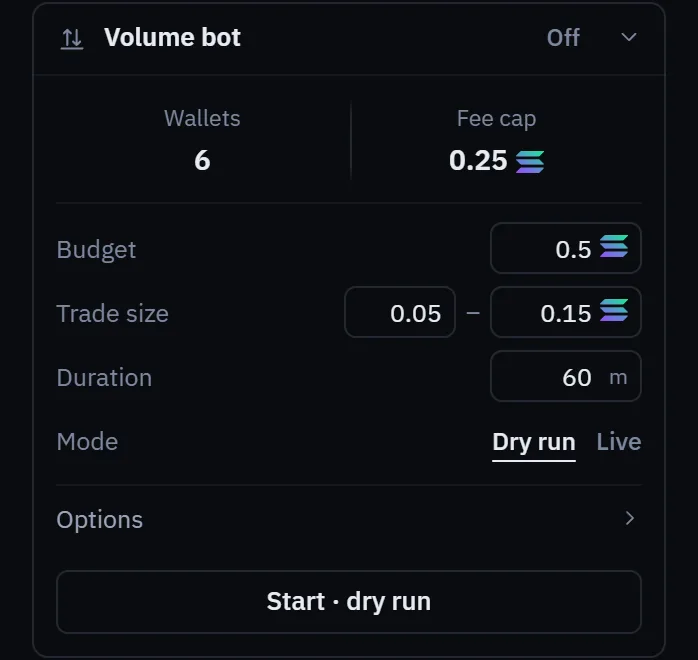
You can set the bot up on the launch form, so it starts as soon as the coin exists, or on a coin you already hold, in the Volume bot section beside it on the Trading page. A priced plan shows what a run will cost before it starts. You can pause, adjust or stop a running bot at any time.
What it costs#
- Every trade pays the venue's fee and a network fee, whether or not the price moves.
- The bot pays a flat fee for each hour it runs, counted by the second, instead of the trade fee on its trades. The hourly fee is free until it has a price, and the price is published on the Fees page before it applies.
The bot's wallets are funded from your master, so they are linked on chain. It pauses while gas on Robinhood Chain is above the limit you set.