
Positions and history
Each coin's position across your wallets, profit and loss, and how to export your trades as CSV.
Positions#
For each coin, the Our wallets list under the chart shows what you hold across all your wallets, with a row per wallet: its balance, the share of the supply it holds, and its profit or loss. This launch shows only the wallets from the coin's launch, and All every wallet. The coin bar on top sums it up under You hold.
Under the ticket, four figures sum up your position in the coin:
- Bought
- What your buys and the launch took out of your wallets, including fees and rent.
- Sold
- What your sells brought back. The realized profit is what you have already banked.
- Holding
- What you hold now, at the current price.
- PnL
- Holding plus what you sold, minus what you bought. The part that depends on the current price is unrealized until you sell.
Figures settle once transactions are final, so a fill can take a short moment to show. When a figure cannot be read it shows as unknown, never as zero.
Your coins#
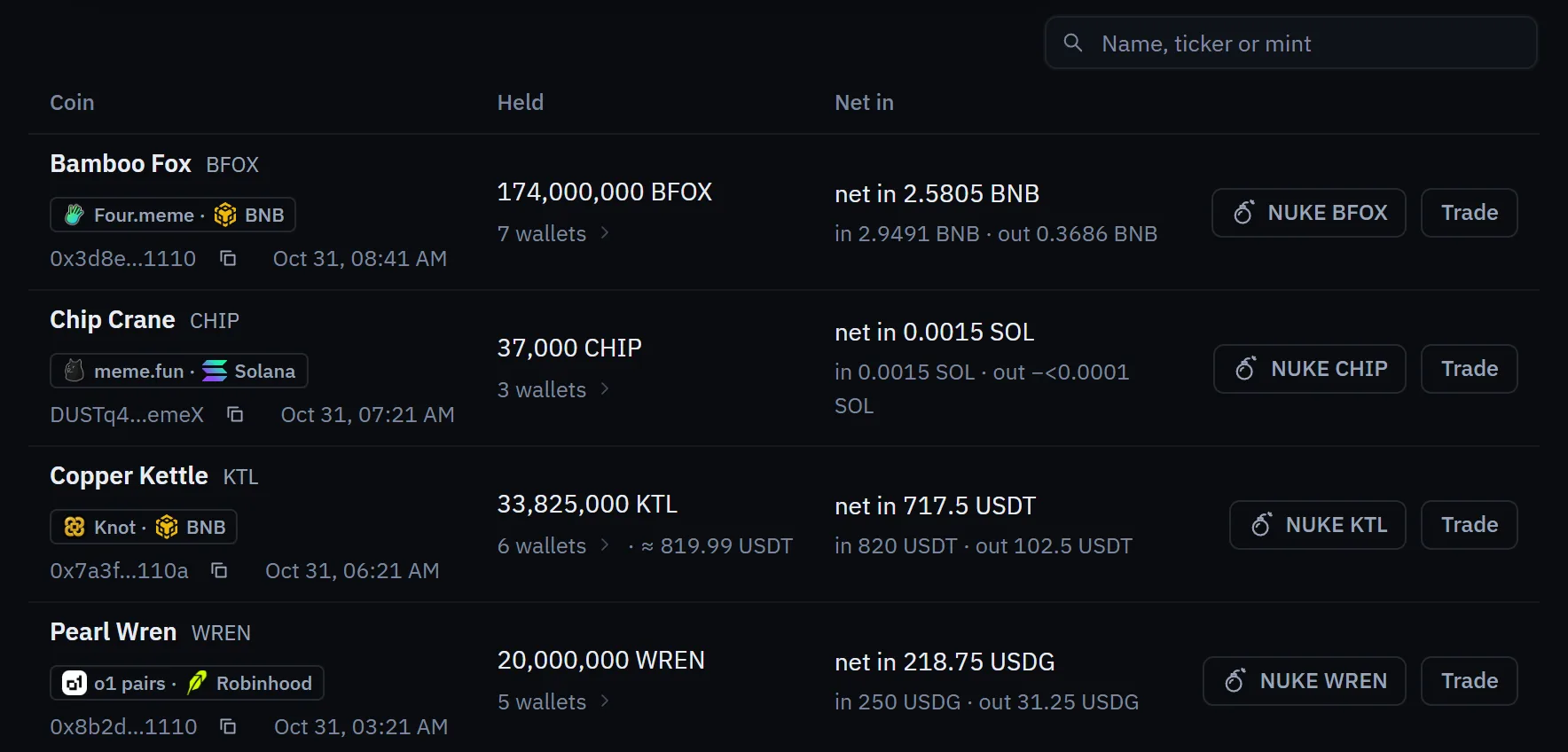
The Your coins page lists the coins you launched, with their positions and what they have earned in creator fees. From there you can open a coin on the Trading page.
History#
History lists every buy and sell run: what you asked for, which wallets took part, and what filled, what was skipped and what could not be confirmed. Open a run to see each leg.
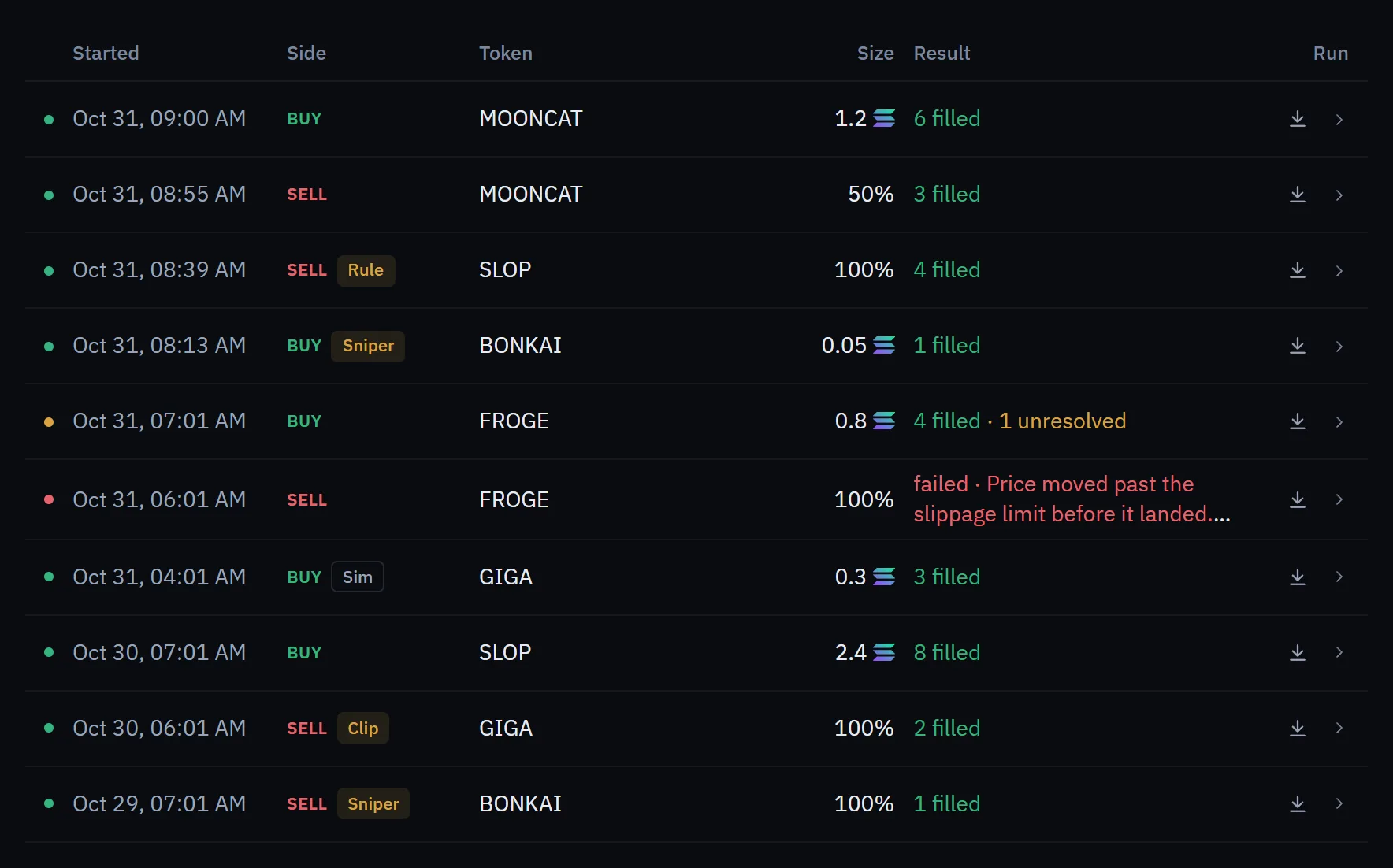
- All trades, CSV exports every trade you have made.
- The download icon on a run exports just that run.
Activity and buyer labels#
The Activity column shows each buy and sell on the coin as it happens, newest on top, and marks the ones that are yours. Filter it to your own trades, the dev's or known KOL wallets'. On coins you launched, outside buyers are labelled, for example as a sniper or a fresh wallet. Labels come from public data and a few rules of thumb. A label is a guess, not a fact about a person.