
Account and security
How sign-in, confirmations, two-factor sign-in and sessions work, and how your keys are kept.
How you sign in#
You sign in with X or Discord. The Account sections of Settings list the logins linked to your account and every device that is signed in, and you can end any session from there.
Sessions end on their own after a period of inactivity, so a forgotten browser does not stay signed in.
Your account in Settings#
- Profile and logins
- Who you are and the X or Discord logins linked to your account.
- Two-factor
- Your passkeys, your authenticator app and your recovery codes.
- Sessions
- Every device that is signed in, with a button to end each one.
- Security activity
- The recent security events on your account.
- Withdrawal protection
- How withdrawals and key exports are confirmed on your account.
The trading settings sit in the same place, under General, Fees, Safety and Wallets and gas. They save as you change them. See Buying and selling.
Confirmations#
Launching, trading and automation need no extra step. Anything that sends money out of Lucky Launch asks for a fresh confirmation first: a withdrawal, a key export, and a key import.
- With two-factor sign-in on, you confirm with your passkey or an authenticator code.
- With it off, you confirm by signing in again with X or Discord.
A confirmation is tied to one action, with its amount, asset and address. It works once and expires after a few minutes. If it expires, start the action again.
Two-factor sign-in#
Two-factor sign-in is optional. Turn it on from Settings, under Two-factor, with a passkey or an authenticator app. From then on, signing in asks for it, and it is what confirms withdrawals.
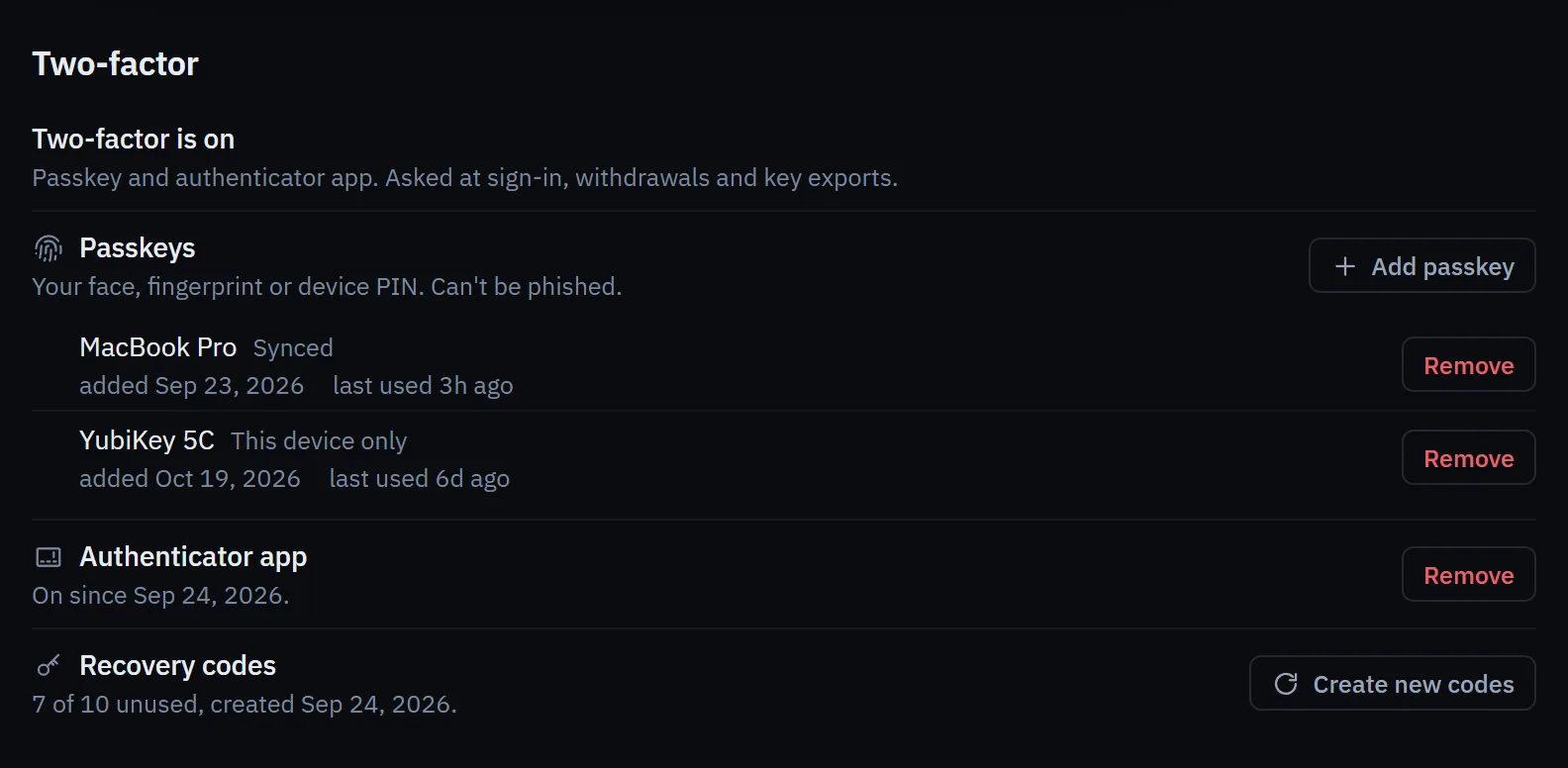
Turning it on also offers recovery codes. Each code gets you back in once if you lose your passkey or phone. Store them offline. Removing your last two-factor method turns two-factor sign-in off.
Security changes and withdrawals#
Security changes do not add a withdrawal waiting period. This includes:
- turning two-factor sign-in on or off, or adding or removing a passkey or an authenticator app;
- linking or removing a login;
- signing in with a recovery code.
Every withdrawal still needs a fresh confirmation for its exact amount, asset and address. With two-factor sign-in on, use a current passkey or authenticator code; with it off, sign in again with X or Discord.
New passkeys and authenticator apps#
A newly verified passkey or authenticator app can confirm withdrawals and key exports immediately. A withdrawal can go to any valid outside address as soon as you confirm it, with no wait on a new address and no amount limit.
How your keys are kept#
Lucky Launch is custodial. It creates your wallets, keeps their private keys encrypted under a key that belongs to your account alone, and uses them only to sign what you approve and the rules you set. Staff cannot trade, withdraw or export a key for you, and no staff screen shows a private key.
You can take a key out at any time with a key export. After you export one, whoever has the key controls that wallet; it keeps working here as before.
Custody carries risk. A service that holds keys can be breached, and balances here are not insured. Keep in Lucky Launch only what you are using.
If something looks wrong#
- End the sessions you do not recognise in Settings, under Sessions.
- Move any funds you are worried about to an address you control.
- Tell us through the official channels on the Support page. For a vulnerability, use the security reporting page.